
Camera technology guide

Understand your
camera options.

Explore infrared, low-light colour and panoramic camera options. See genuine Dahua illustrations and learn how coverage, lighting and position shape the view.

Dahua standard infrared turret cameraDahua WizColor turret cameraSimilar appearance.
Different imaging options.

Genuine manufacturer examples

Compare the detail
after dark.

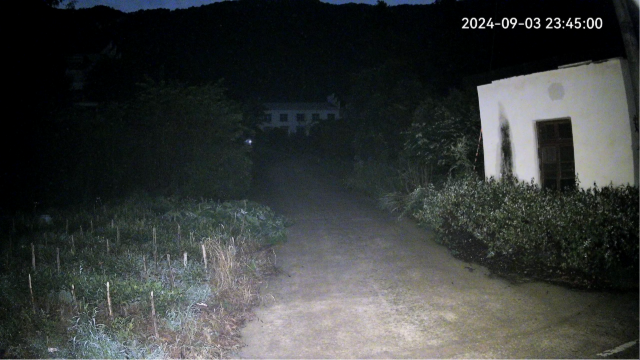
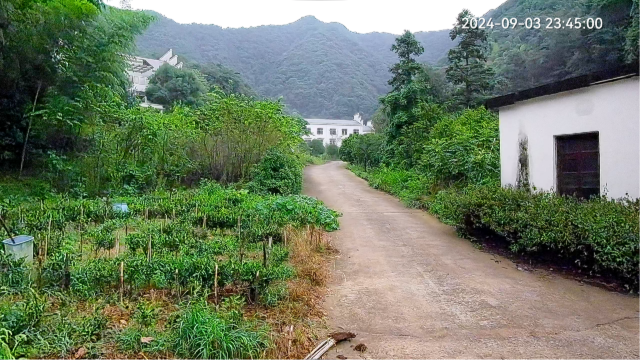
Look at the colour and detail visible in the lane and trees. Compare the images side by side or use the slider to reveal the same scene.

Explore Dahua’s night-time demonstration.

Dahua general-camera night demonstration: a dark rural lane with limited visible colour
General cameraManufacturer reference image
Dahua WizColor night demonstration: the same rural lane with visible green trees and colour detail
WizColorManufacturer reference image

These are Dahua demonstration images, not photographs from a West Protect job or a comparison test of the pictured camera models. Lighting, distance, motion and settings affect results.

Dahua camera technology

Night-time imaging

Two imaging approaches.

Infrared cameras generally use black-and-white images after dark. WizColor aims to retain colour when there is enough usable light. Some models also have infrared and warm-light modes; check the exact camera and settings.

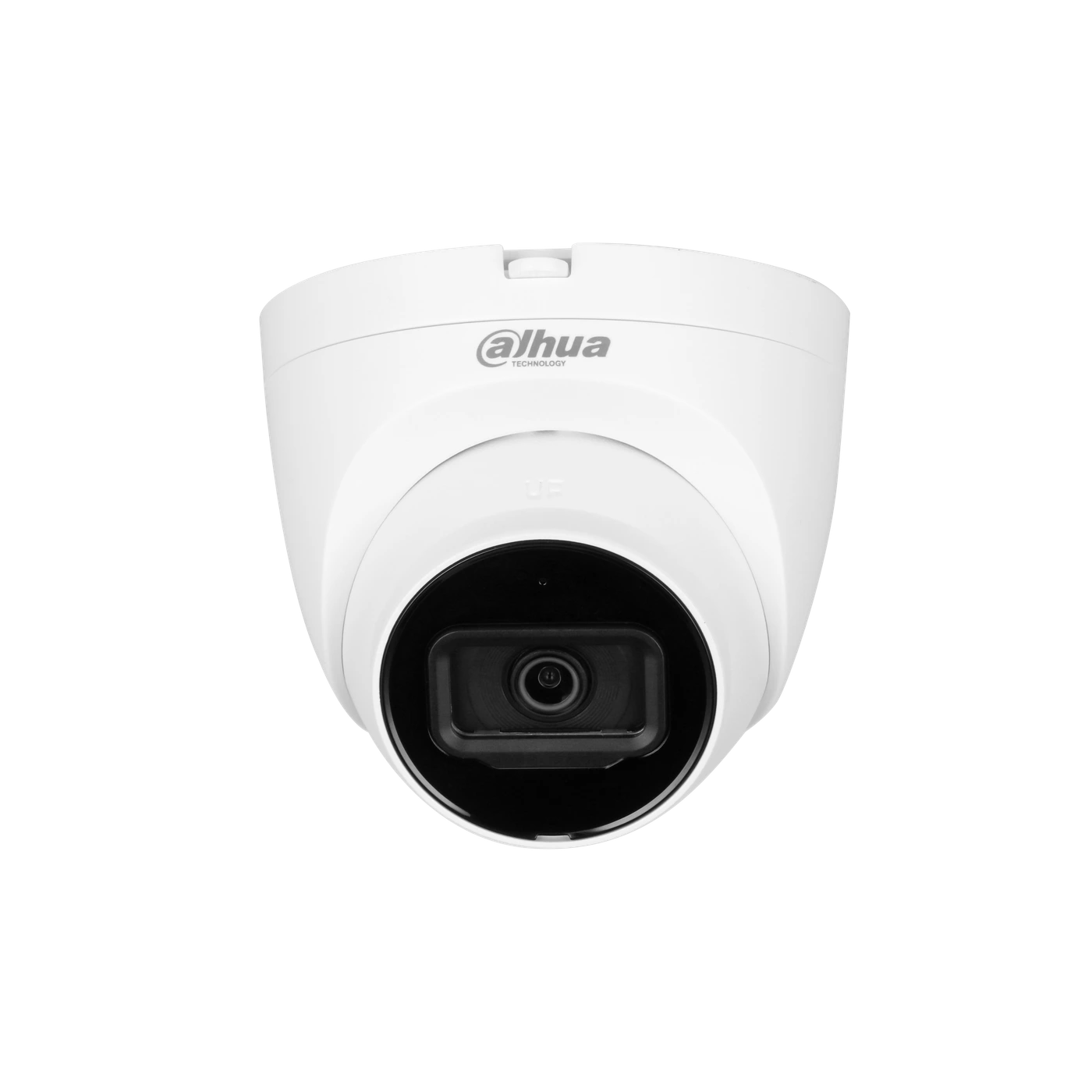
Standard infraredDahua infrared turret camera

Infrared imaging

Colour by day.
Infrared after dark.

A day/night camera can show colour when there is sufficient light, then switch to infrared-assisted black-and-white imaging in darkness.

What this means: Infrared (IR) helps the camera see without relying on visible lighting. In IR mode, the picture can show movement and detail, but not the true colour of clothing or vehicles.

  • Useful for areas with little or no visible light.
  • Placement matters: nearby walls, glass and reflective objects can affect the image.
  • Supported alerts and event filtering depend on the model.
Infrared camera example. Available features depend on the camera and recorder.
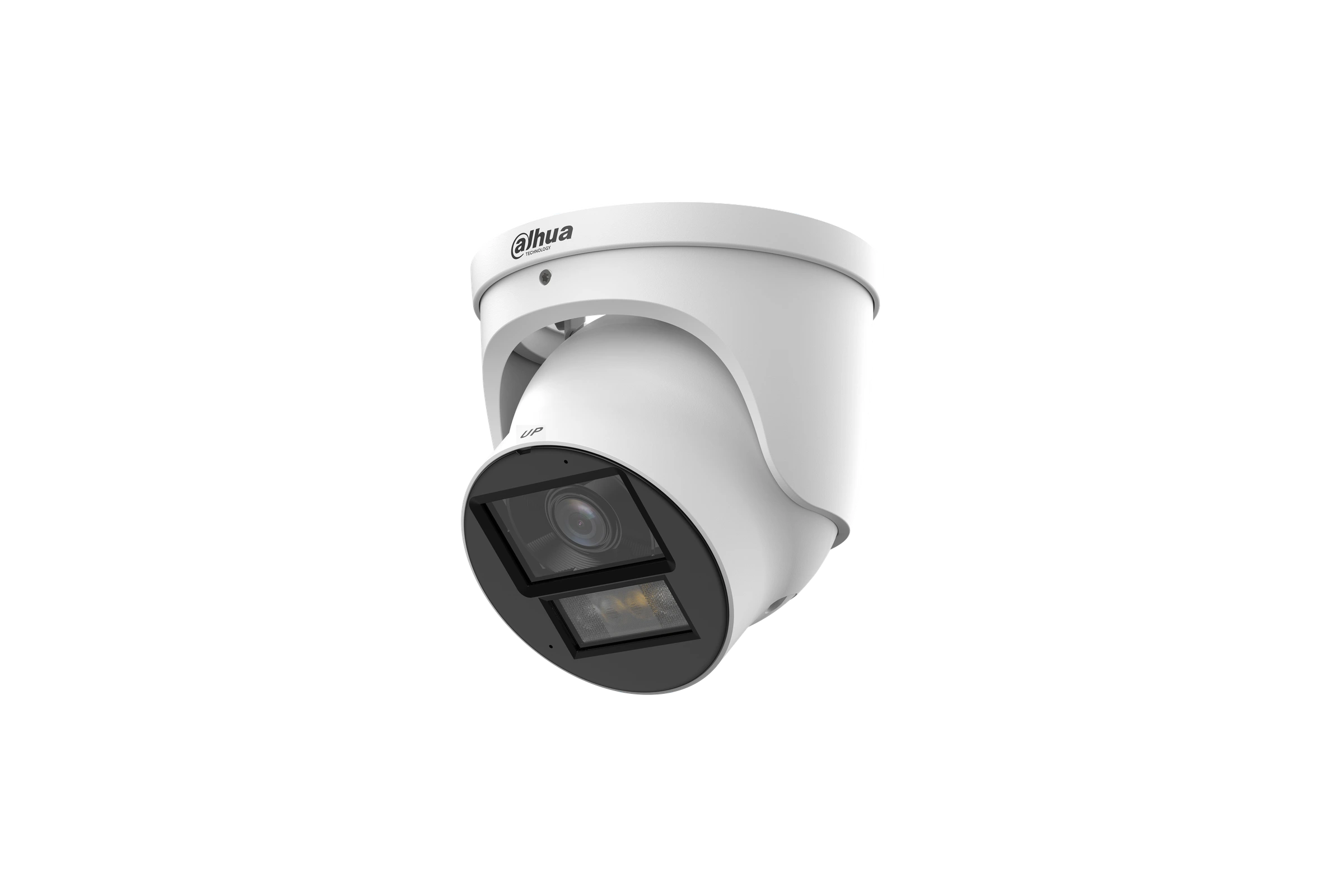
WizColor exampleDahua WizColor turret camera

More colour in low light

Retain colour.
Understand the scene.

WizColor uses a large-aperture lens, an image sensor and processing intended to produce colour images in low light.

What this means: When conditions allow, colour can help distinguish clothing, vehicles and other scene details. It does not remove the need for suitable lighting, positioning or exposure settings.

  • Colour performance still depends on available light and the scene.
  • Additional illumination may be needed in very dark areas.
  • Supported event alerts depend on the camera model and recorder.
Dahua WizColor camera example. The illustrated camera also supports infrared and warm-light illumination. Features and availability are confirmed for your installation.

At a glance

What changes
in everyday use?

General imaging differences. Check the exact product specifications before selecting equipment.
What mattersStandard day/night IRWizColor-equipped camera
Daytime pictureColour with suitable light.Colour with suitable light.
Low-light pictureUsually changes to black and white in infrared mode.Designed to retain colour with suitable low-level light.
Very dark locationsUses built-in IR where fitted; effective range varies.May need additional illumination. Check the model and scene.
Moving people or vehiclesUsable detail depends on exposure, lighting, distance and angle.Usable detail also depends on exposure, lighting, distance and angle.
Useful event alertsAvailable on supported models; confirm camera and recorder compatibility.Available on supported models; WizColor alone does not define analytics.
Recording and app accessRequire a compatible, configured recorder or supported storage and app setup.Require a compatible, configured recorder or supported storage and app setup.
Panoramic camera example

See more of
the bigger picture.

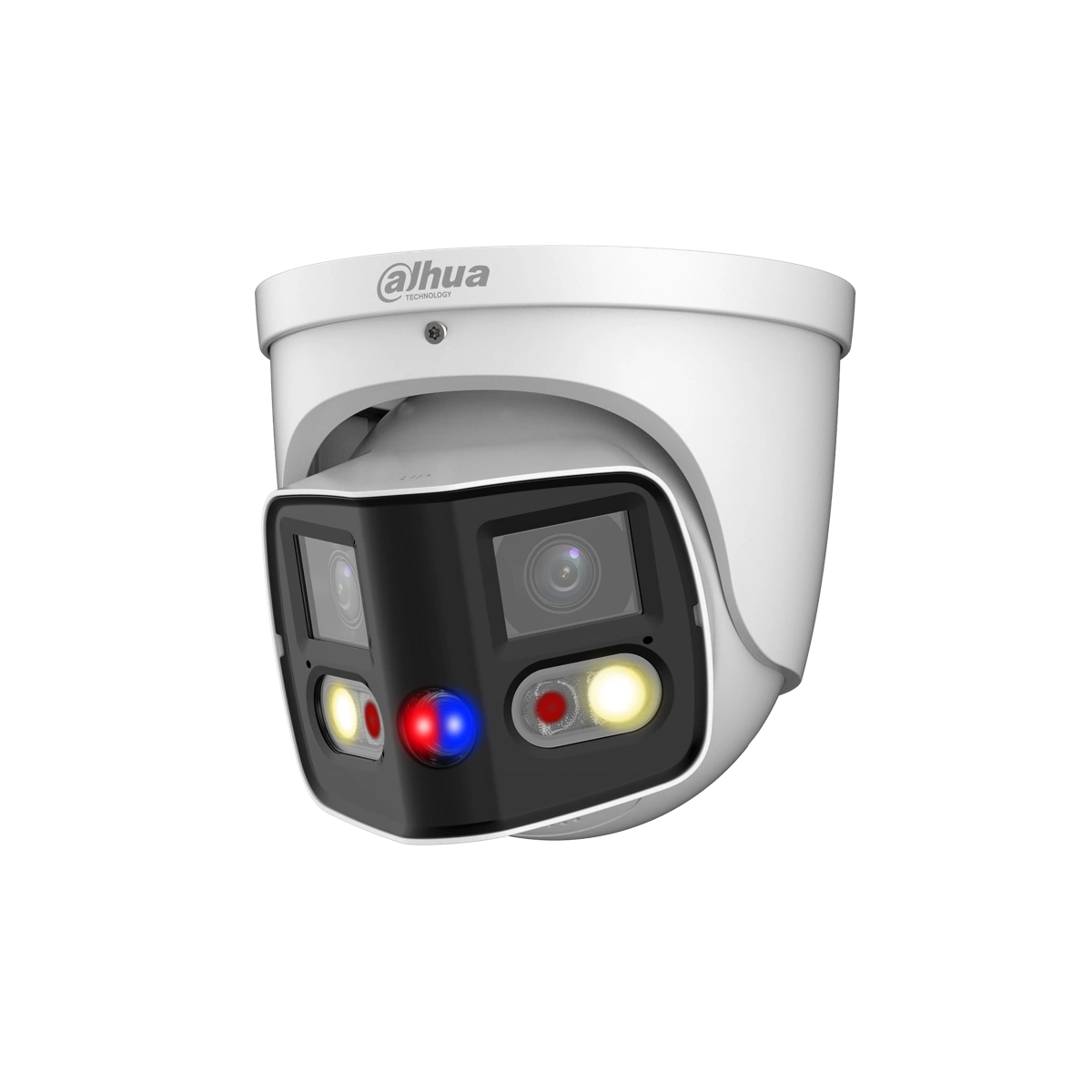
A panoramic camera captures a broad view from one position. It can be useful when you want to follow activity across a driveway, frontage or courtyard, rather than watch one narrow approach.

What this means: The view is wider, but the detail you can identify still depends on distance, lighting, camera position and image settings.

DrivewaysWide frontagesCourtyardsOpen outdoor areas
Dahua white dual-lens panoramic turret camera
Dahua panoramic cameraOriginal manufacturer product image. Equipment, features and availability are confirmed in your quotation.
180°Horizontal field of view
Two lensesOne joined panoramic image
Fixed viewNo mechanical pan or tilt

These features apply to the illustrated camera; other panoramic cameras may differ. View the manufacturer’s product information.

How the wide image is made

Two views joined into one.

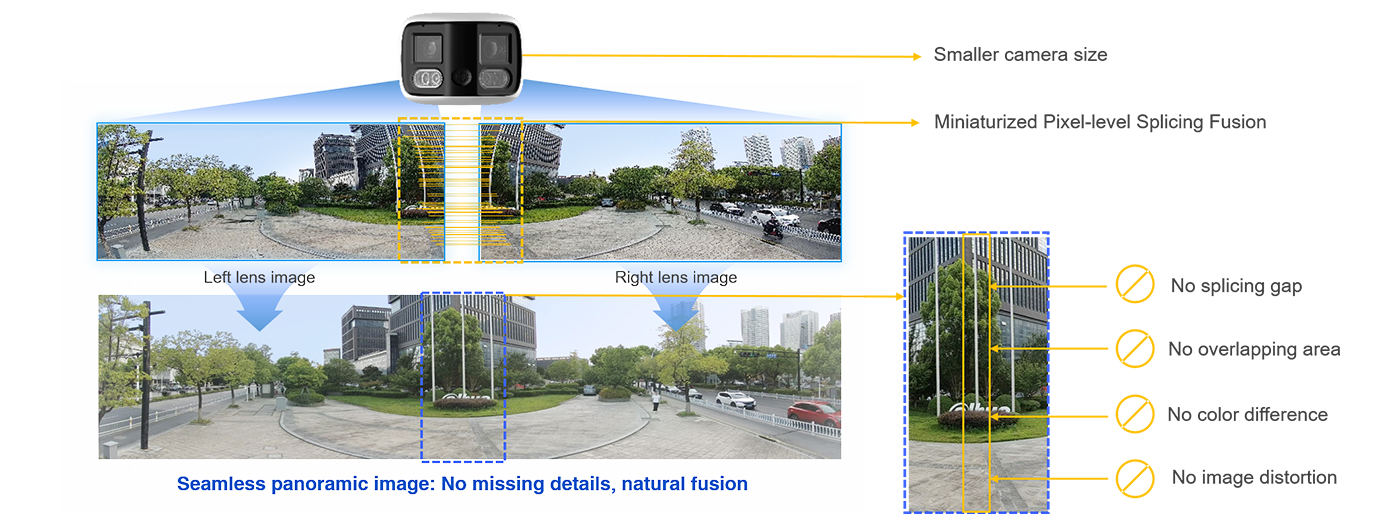
Image stitching means combining images from separate lenses into one wider picture. This Dahua illustration shows the overlap between the two views.

Dahua illustration showing overlapping left and right lens views joined into a wide image, with a detail of the joining area
Dahua MultiVision technology illustration, not a West Protect installation or verified footage from the camera pictured above. It is not a guarantee of image detail or seamless results in every scene. Manufacturer source · Enlarge illustration

Fixed-view or panoramic?

Both can have a place in the same design. Choose the view for the task.

A practical comparison of coverage approaches. Exact capabilities vary by model.
ConsiderationConventional fixed-view cameraPanoramic camera
CoverageA selected view, with the lens chosen for that area.A wider overview; the illustrated camera covers 180° horizontally.
Useful locationsA doorway, side path or another specific approach.A broad driveway, frontage, courtyard or open outdoor area.
PositioningAim for the required detail and avoid obstructions or glare.Allow for the full width, obstacles and the join between lens views.
Detail at a distanceA suitable narrower view can concentrate image detail on a particular area.A broad view spreads image detail across more of the scene; a separate detail camera may still be useful.
Lighting and storageSelect lighting, recording settings and storage for the task.Make the same checks. Panoramic coverage alone does not determine night performance or recording history.

Panoramic is not PTZ

A pan-tilt-zoom (PTZ) camera can physically change direction; optical zoom changes the lens view. The illustrated panoramic camera has fixed lenses. Its electronic PTZ feature enlarges part of the image rather than moving the camera or adding optical detail.

Wide coverage is not a night mode

WizColor describes a low-light imaging technology, not a viewing angle. The panoramic example above uses infrared and warm-light illumination. Colour and usable detail still depend on the scene, light and settings.

Detection is a separate feature

The illustrated camera supports human and vehicle classification for tripwire and intrusion rules. That means it can help distinguish those target types for supported event alerts. It does not guarantee detection or identify a particular person.

Plan the detail as well as the overview.

We check mounting height, distance, lighting, privacy-sensitive areas, recorder compatibility and storage before recommending a panoramic camera. One wider camera does not automatically replace several carefully positioned cameras.

Discuss your camera coverage

Plan the view, then choose the camera

Choose for the view,
not just the specification.

More megapixels do not automatically mean better evidence. Resolution is only one part of the decision: distance, movement, lighting and the camera’s position determine whether the detail is useful.

Discuss your camera options

What light is available?

Check existing lights, glare, shadows and how the scene changes after dark.

What do you need to see?

Decide whether you need an overview, recognition or detail at a specific entrance.

Where can it be installed?

Consider mounting height, distance, weather exposure, obstacles and cable access.

How will you use recordings?

Allow for the recording history you need and a practical way to play back and export footage.

Call or text0422 226 436Request a callback